//new delivery
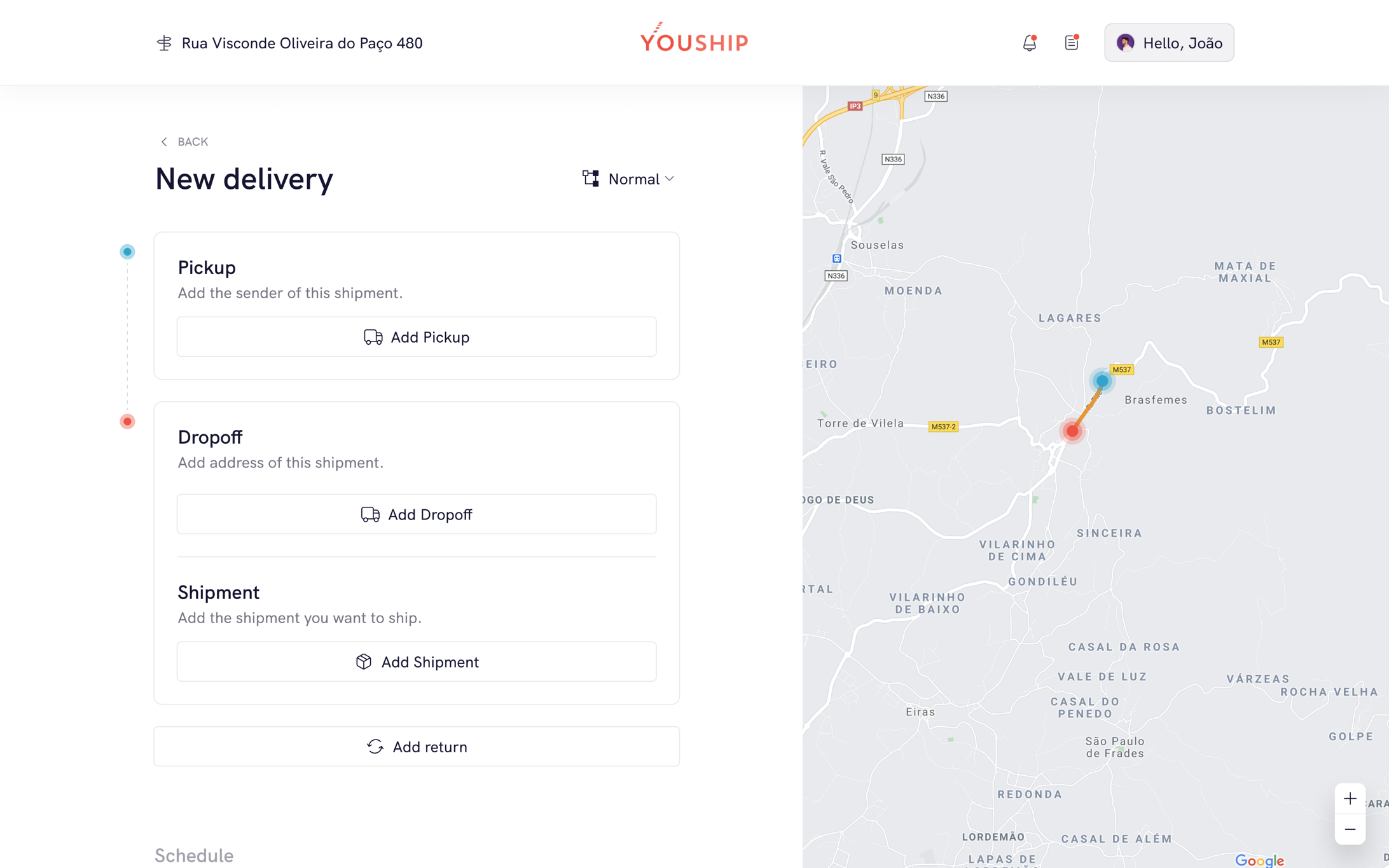
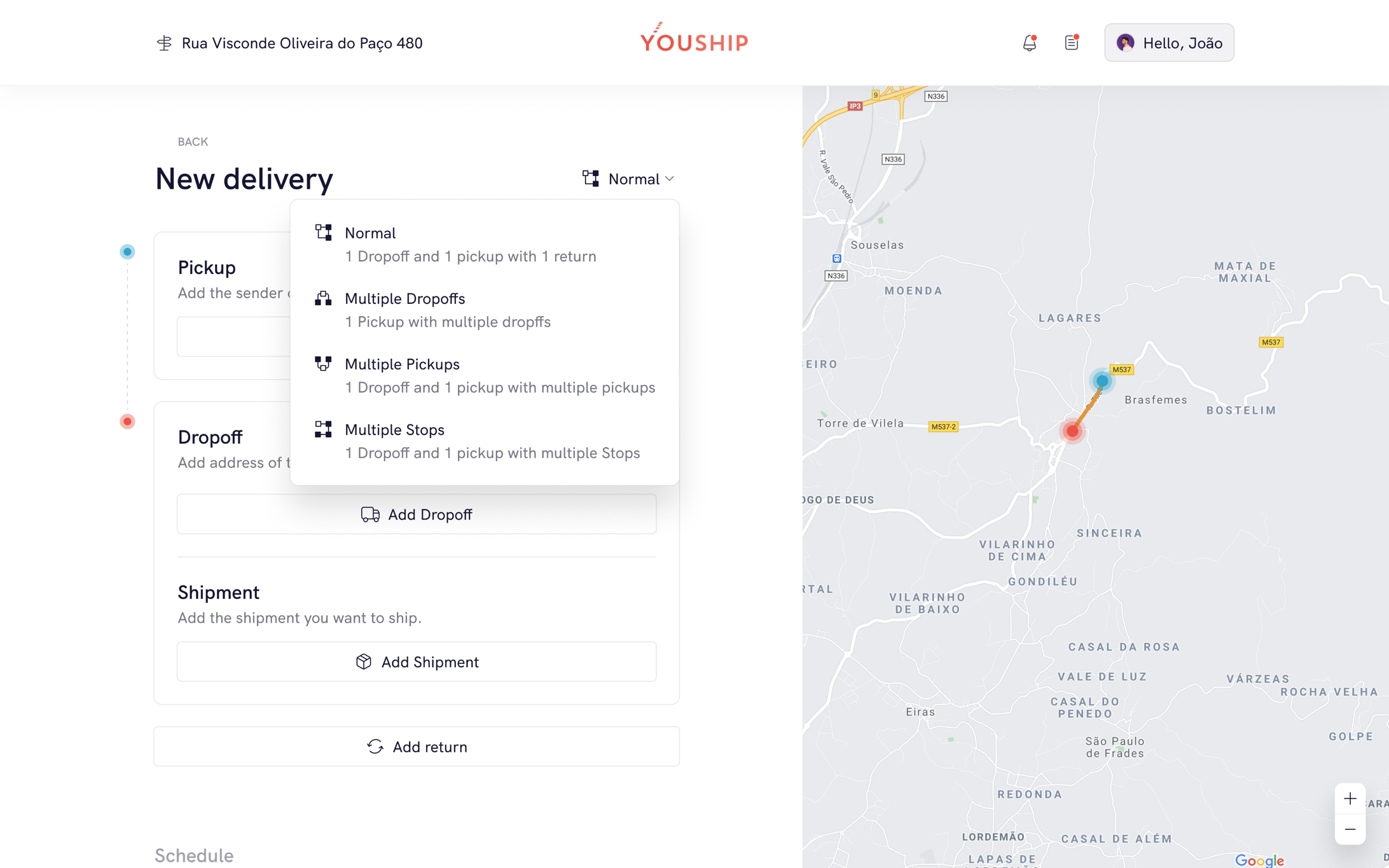
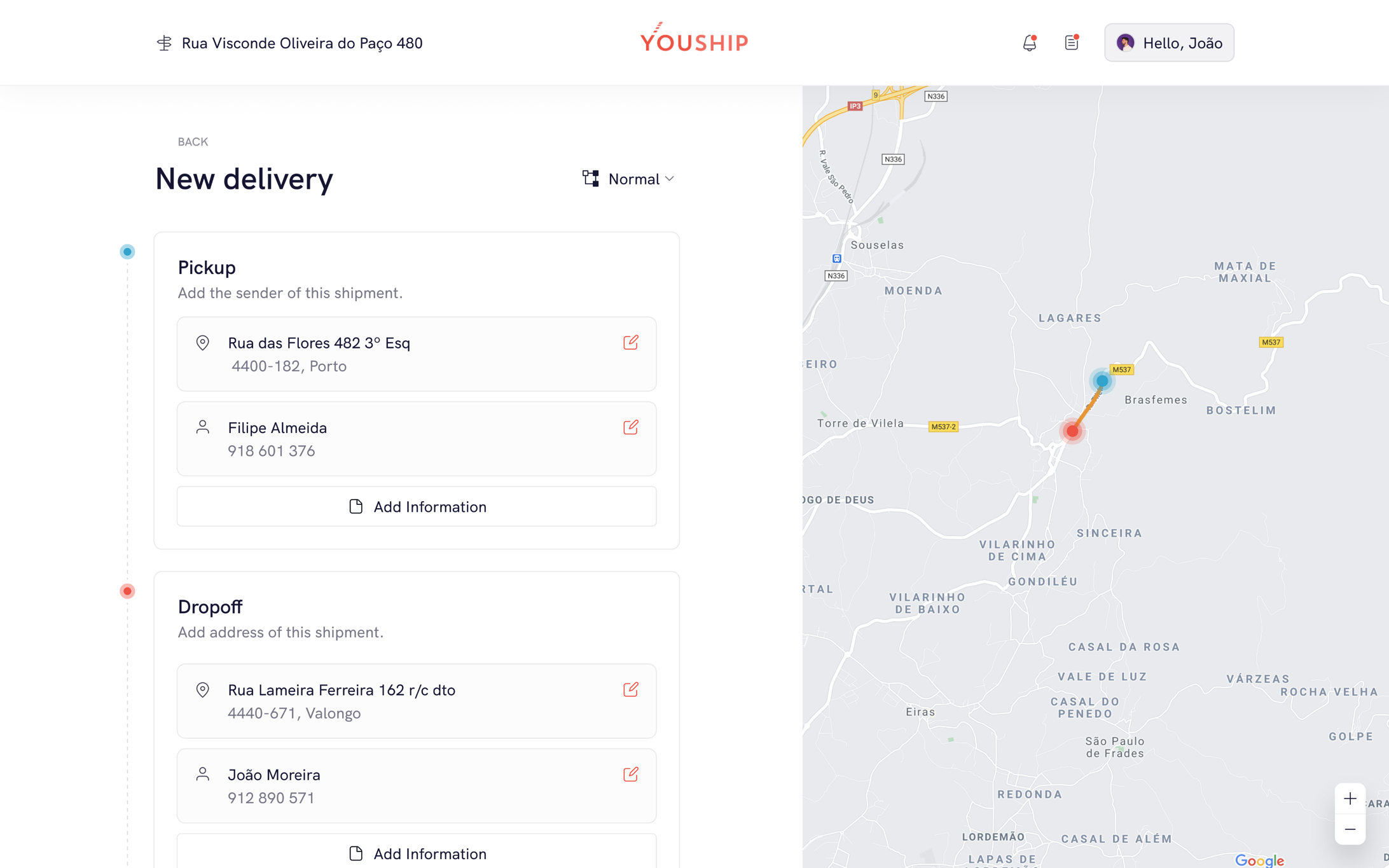
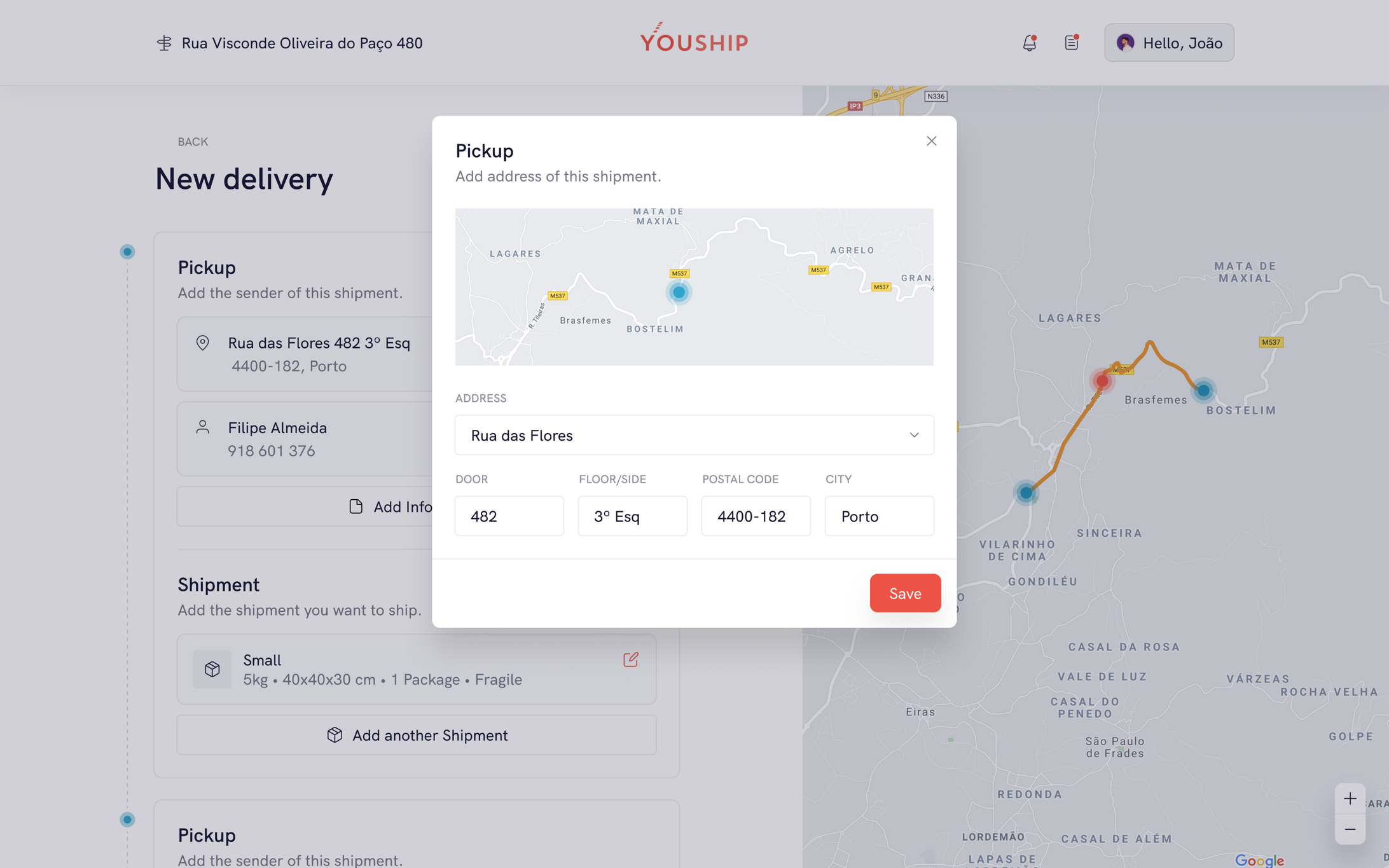
The web app brings the same delivery flow to the desktop, side by side with the map. Pickup, dropoff and shipment are filled in on the left while the route takes shape on the right. The delivery type switches between a single trip, multiple dropoffs, multiple pickups or multiple stops, and every step stays on the same page, so the sender never loses sight of where the order is going.
//local menu
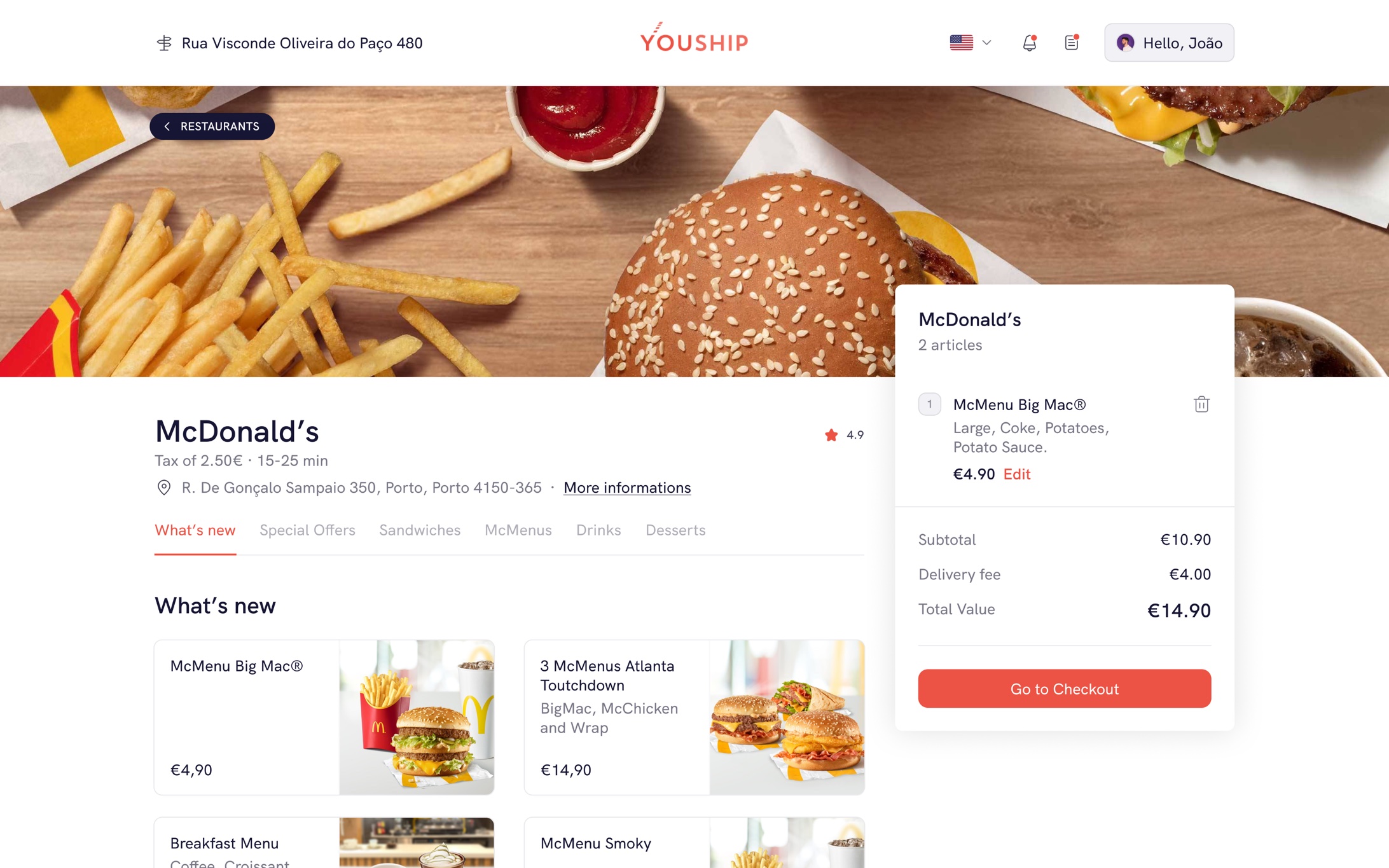
Restaurants and local shops get a page of their own: a header with the venue, rating and address, tabs for what's new, special offers and the rest of the menu, and a cart that fills up in place with subtotal, delivery fee and a direct path to checkout. Ordering food works the same way as sending any other package, just with a menu in front.
//delivery details and progress
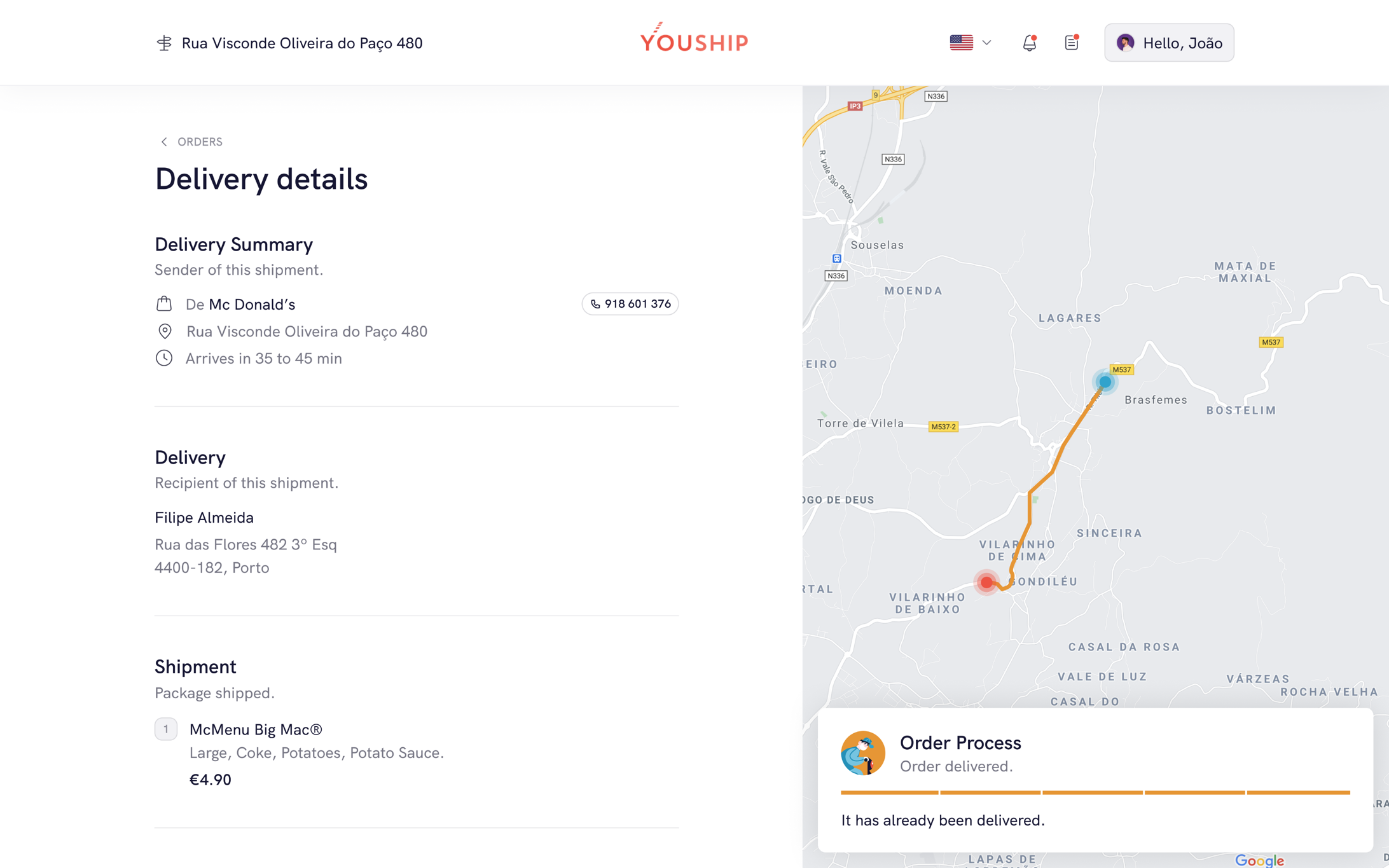
After ordering, the delivery details page keeps sender, recipient and shipment in one column, with the live route on the map beside it. The order process card updates as the transporter collects and delivers, so the customer follows the whole delivery in real time without leaving the browser.